
Tracking SLAs Outside Jira Service Management
At eazyBI Community Days, Jakub Kochańczyk from Almarise shared a topic that many teams eventually run into: how to track SLAs when Jira Service Management (JSM) isn’t part of the setup.
JSM is a powerful tool, but not every team has it. In many cases, work already happens directly in Jira, especially when internal teams are involved, and everyone is comfortable working within the same environment. There’s no need for a customer portal, and sometimes avoiding additional licensing is simply the more practical choice.
Still, the need remains the same. Teams want to track time, manage workflows, and ensure they meet their commitments. That’s where things start to get complicated.
When “Just Tracking Time” Isn’t That Simple
At first glance, measuring time sounds straightforward. But once you try to do it properly, small details quickly add up. Working hours are rarely continuous. Weekends, holidays, and local calendars all affect how time should be counted. Even something as simple as a public holiday can behave differently from year to year.
Without the right setup, it’s easy to end up with numbers that look correct but don’t actually reflect reality. This is exactly the gap SLA PowerBox was designed to address — handling time tracking in a structured way and making that data usable for reporting in eazyBI.
A Closer Look at a Support Process
Let’s look at the typical three-line support setup. A ticket starts with the first line of support, then moves to the second line for deeper analysis, and in some cases ends up with an external vendor.
From a business perspective, the goal is clear. The more tickets you resolve at the first level, the better, as it is usually the most cost-efficient part of the process.
To manage this properly, it is not enough to track total resolution time. You need to understand how time is distributed:
- How long did each team work on the issue?
- How much time was spent waiting?
- Where does the delay actually happen?
Instead of a single timer, SLA PowerBox tracks time across different stages. Each clock runs only when the issue is in a relevant state and pauses when it shouldn’t count. This allows you to see both the full picture and the individual contributions of each support level.
From an Operational View to Reporting
During daily work, this setup provides real-time visibility. Teams can see how much time is left, whether a ticket is at risk, and its current status.
You start to see the real value once this data is brought into eazyBI and analyzed from a broader perspective. SLA PowerBox data can be imported into eazyBI as custom fields using standard functionality. Once the information is available for reporting, it becomes much easier to step back and look at trends over time. You can see how often SLAs are breached, how resolution times evolve, and whether certain teams or steps are becoming bottlenecks.
A simple report showing average resolution time alongside the number of breaches is often enough to highlight that something has changed. From there, you can start digging deeper.
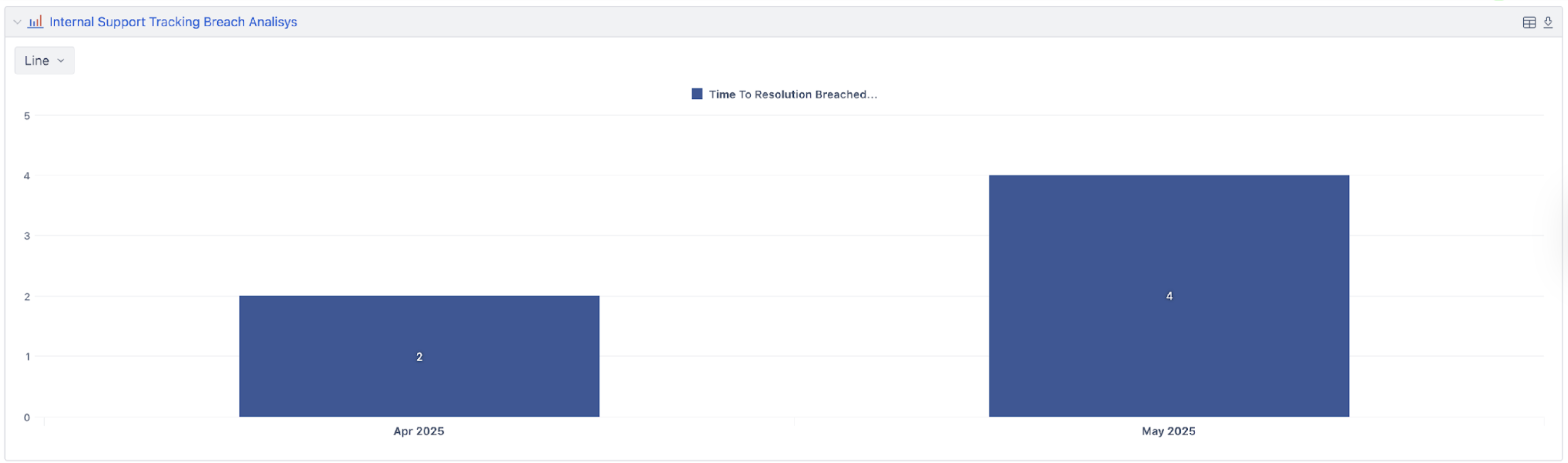
Understanding Where Things Slow Down
When you find that the overall resolution time is increasing without additional context, it might suggest a general slowdown across the entire process. However, once the data is broken down by support level, it becomes clear that the first-line support has taken longer than before, while the other levels remained stable.
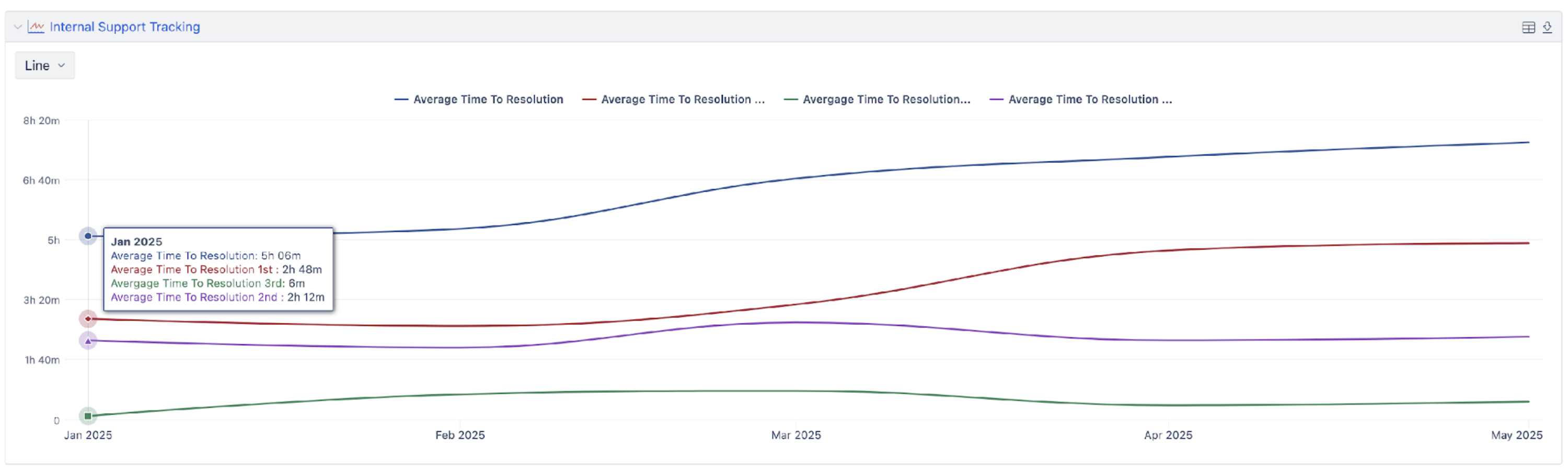
This kind of insight can make a big difference. Instead of reacting broadly, teams focused on a specific part of the process and investigated the changes.
Applying the Same Logic Beyond Support
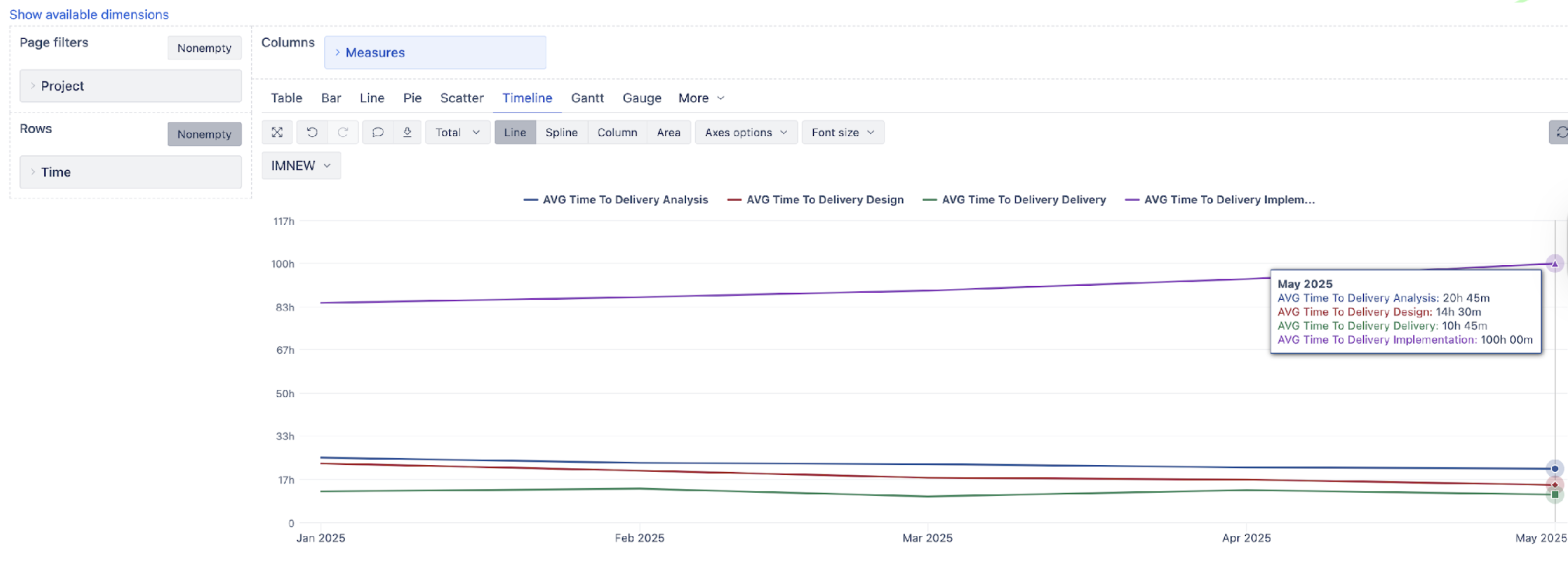
A similar approach can be applied outside of support, including scenarios such as tracking time across initiative delivery phases — analysis, design, implementation, and delivery.
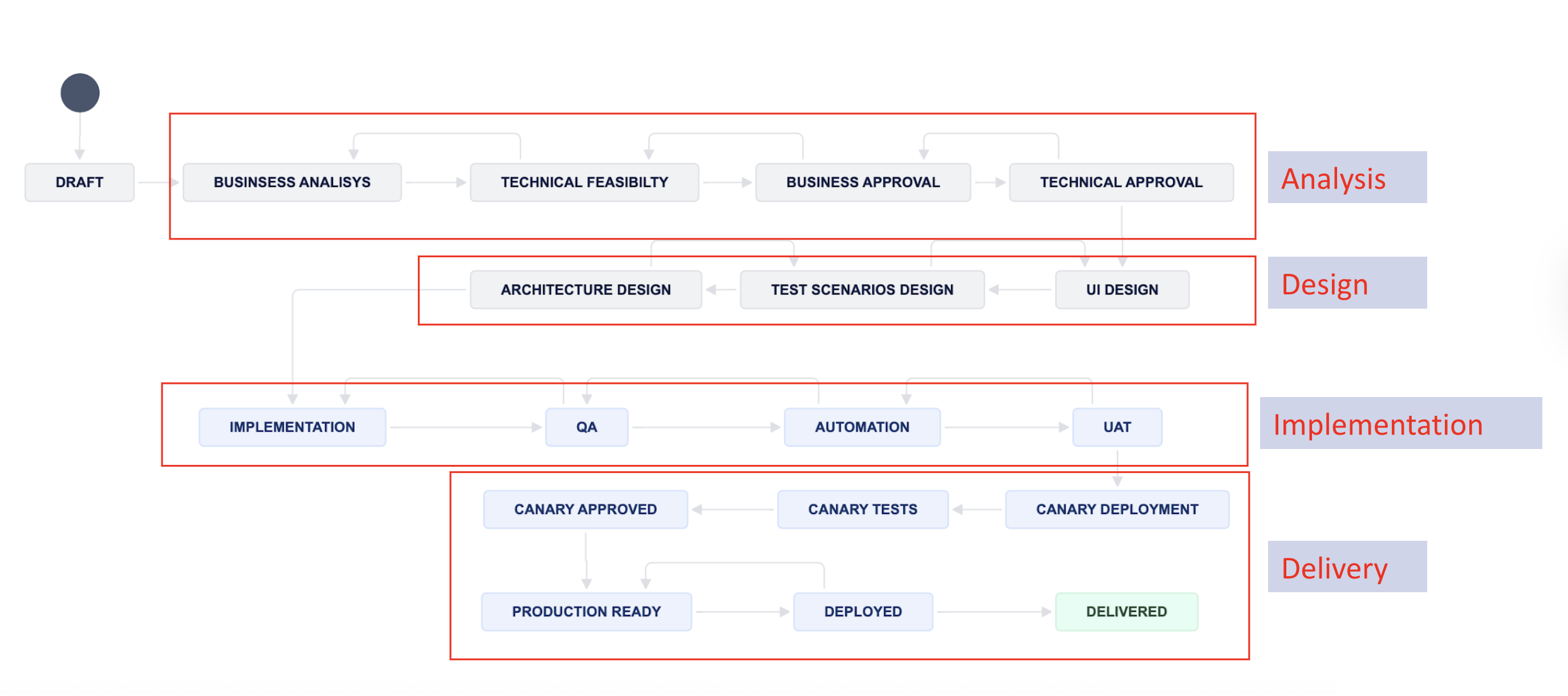
By measuring each phase separately, it becomes possible to see how work moves through the process. In some cases, improvements in one phase can delay another, making it difficult to spot without this level of visibility.
SLAs in Development Work
Although SLAs are usually associated with service management, they can also be useful in software development, especially when dealing with production issues.
Teams may want to define expectations for how quickly bugs are fixed, how long code reviews take, or how fast changes are deployed. By tracking these steps in a similar way, it becomes possible to monitor performance and identify where delays occur.
This becomes especially visible when you start analyzing the data more closely. Instead of focusing on the most critical tasks, teams were resolving less important ones faster. Without this level of detail, it would be easy to miss.
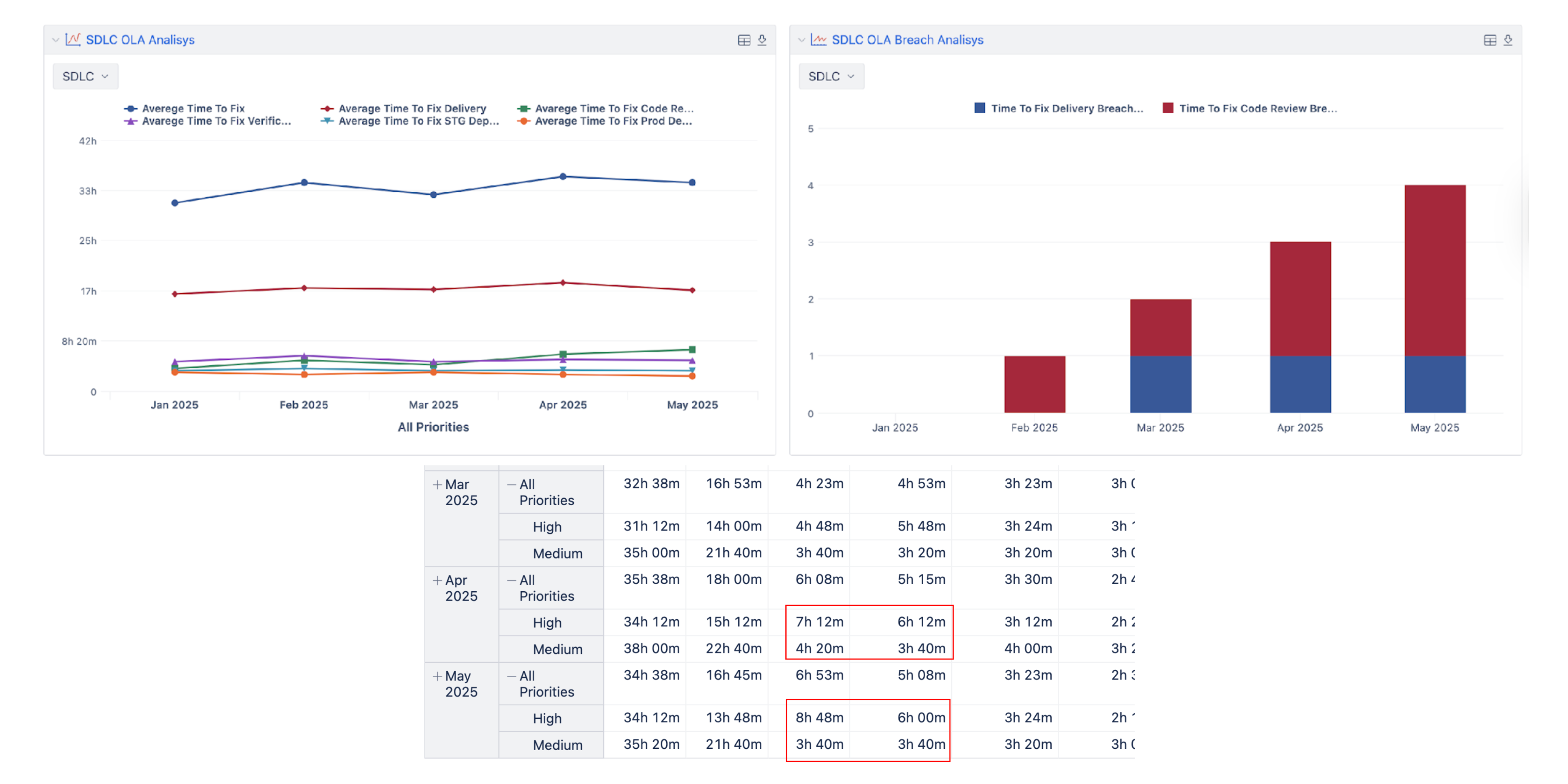
Combining SLA tracking with eazyBI reporting gives a clearer view of how time is distributed across the process. It connects real-time operational data with longer-term analysis, helping teams understand what’s happening and where improvements are needed.
Final Thoughts
Tracking time is not the hard part. The real challenge is tracking it correctly and using the data afterward. With the right tools and setup, the data becomes much more than a measurement. It becomes a way to understand the process and make better decisions based on what is really happening.
Watch the full presentation recording here.