Self-hosted business intelligence with Private eazyBI
Private eazyBI is an installable business intelligence tool with all the features of eazyBI Cloud. Install it on Windows, Linux or macOS, connect it to your databases, and keep your data in your own network.

Why Private eazyBI
Keep your data on your own servers and in your own network.
Meet strict security, compliance, and data residency requirements.
Connect to internal systems that should not be exposed externally.
Combine Jira and Confluence data with CRM, finance, and operational data.
Brand reports and dashboards with your logo, headers, footers, and colors.
Build custom integrations and extensions with Ruby on Rails.
Runs on your own servers
Use Private eazyBI as the reporting and analysis extension of your corporate applications. Map your existing database tables to eazyBI dimensions and measures, and you’re ready to go.
Private eazyBI uses the well-proven Mondrian OLAP engine to run multi-dimensional queries. Define cubes, dimensions, and measures for external databases with the Mondrian OLAP schema syntax.
- SQL Databases and data warehouses
- Integrations Jira and other applications
- Import Files and REST APIs
- HTTP Reports and dashboards in the browser
- REST API Your own applications
Many data sources
Import your data from SQL databases, REST APIs, files, or popular web applications.



























Custom reports, charts, and dashboards
Create custom reports, charts, and dashboards with an easy-to-use drag-and-drop report builder. Create new tables, charts, reports, and dashboards with just a couple of clicks. Quickly discover new insights and opportunities with all your data at your fingertips.
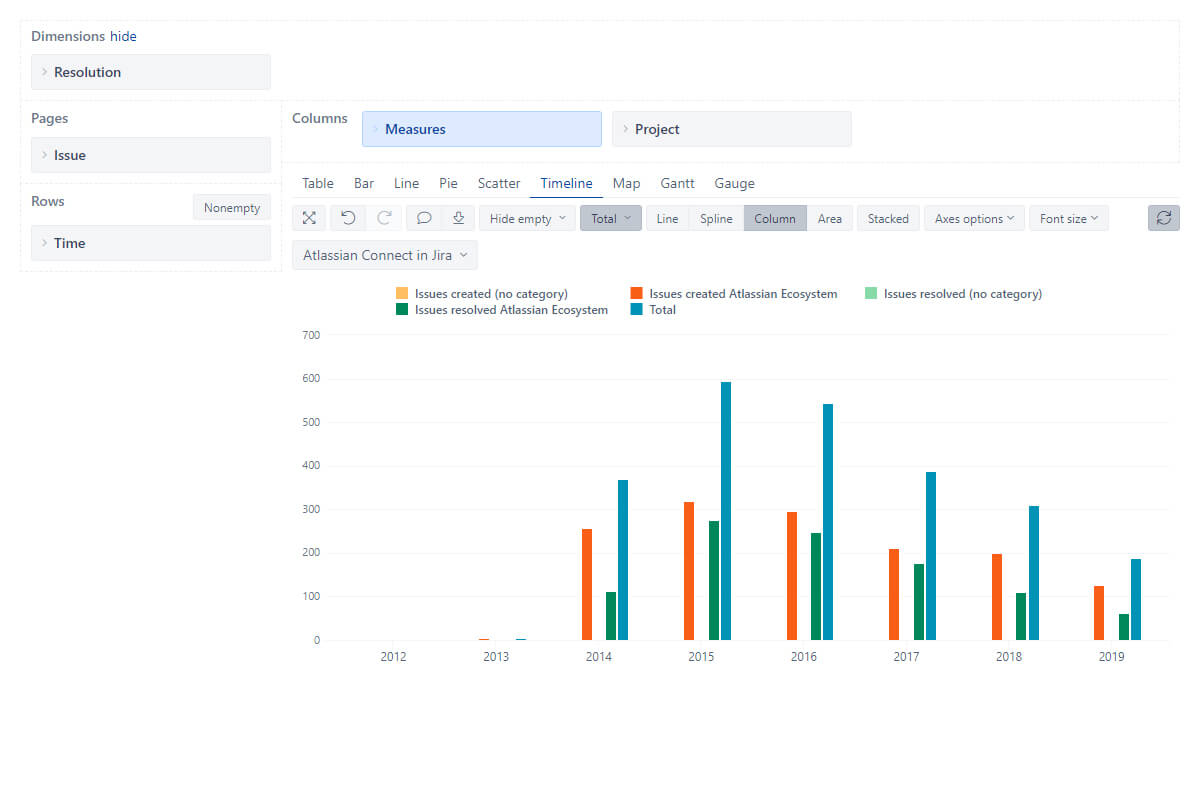
Interactive data analysis and visualization
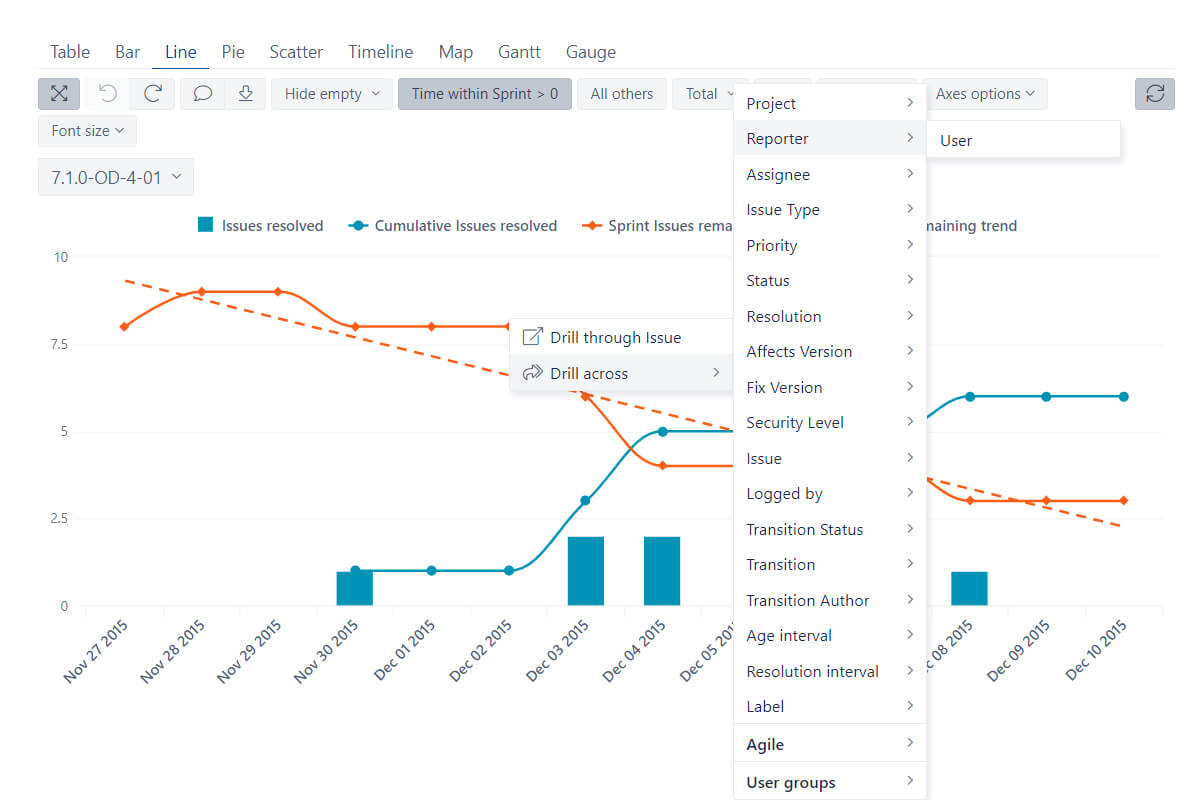
Explore and analyze your data with instant feedback. Start with a summary and dig into details to examine your business data with multi-dimensional analysis. Drill-in or across other dimensions right from the report. Find actionable insights, trends, and opportunities, make smart and data-driven decisions.
Powerful calculations for advanced users
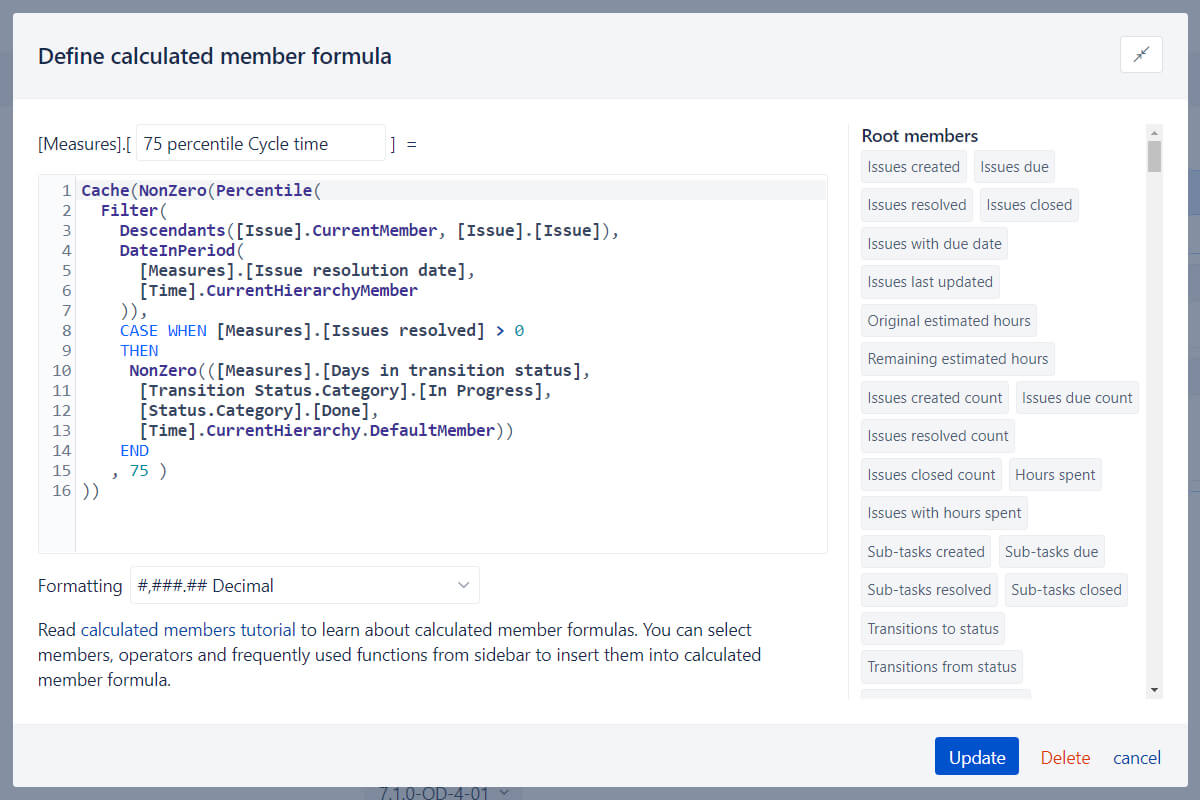
Go way beyond basic analysis by creating new measures and powerful calculations. Start with many predefined calculations or write your own using the built-in MDX editor with auto-complete and syntax highlighting. Perform multi-dimensional analysis and examine your business data in almost any way you need.
Start a 30-day free trial
Try eazyBI free for 30 days to see if it’s right for you. If you need any help or support, feel free to reach out to support@eazybi.com — we’re there for you.
Try it free12000+ installs, 5000+ customers from 150+ countries


Support & resources
eazyBI’s powerful report builder comes with an extensive knowledge base, a vibrant community, and experienced support.
 Support
Top-rated support ready to guide you through your reporting journey.
Support
Top-rated support ready to guide you through your reporting journey.
 Documentation
Detailed documentation with tutorials, instructions, use cases, and how-to videos.
Documentation
Detailed documentation with tutorials, instructions, use cases, and how-to videos.
 Community
Active and growing user community with shared experiences and practical solutions.
Community
Active and growing user community with shared experiences and practical solutions.
 Learning Center
Hands-on, self-service lessons to build different reports and grasp BI concepts.
Learning Center
Hands-on, self-service lessons to build different reports and grasp BI concepts.
Private eazyBI pricing & plans
- All standard integrations and many custom data sources
- Full eazyBI installation on your own computer
- Customize your visual appearance – your logo, headers, footers, colors, etc.
- Develop additional integrations with other applications.
- Extend and customize Private eazyBI functionality with the Ruby programming language.
Other eazyBI products
Find the eazyBI that fits your work. Start with a free eazyBI trial.


Frequently asked questions
What is Private eazyBI?
Private eazyBI is the self-hosted version of eazyBI — an installable web application you run on your own infrastructure (Windows, Linux, or macOS).
It includes the same core BI capabilities as eazyBI Cloud, but gives you full control over hosting, security, and networking.
Is there a free trial, and what do I register for?
Yes. Private eazyBI includes a 30-day free trial, no credit card required.
The registration at Sign up is for the License Portal on eazybi.com (license details, downloads, subscriptions, quotes/invoices, payments, and license user management).
The standalone Private eazyBI app can have different users than the users in the license account.
What are the installation requirements?
Private eazyBI installation requirements and supported platforms are documented in Install Private eazyBI.
If you’re planning a larger deployment, use the documentation as the source of truth since requirements can change over time.
How do upgrades work?
Upgrades are done by downloading the latest version from the License Portal and replacing the application file on your server.
See Version upgrade for detailed steps.
When should we choose Private eazyBI vs eazyBI Cloud?
Private eazyBI is a good fit when you need more control, for example:
- Strict security/compliance requirements
- Data residency constraints
- Connectivity to internal systems that shouldn’t be exposed externally
- Custom extensions or integrations
Can I use Jira as a data source?
Yes — Jira can be used as a data source in Private eazyBI (among many other databases, REST APIs, and files).
However, if Jira is your primary data source, we recommend using the eazyBI for Jira app from the Atlassian Marketplace. The functionality is similar, but the Jira app has smoother integration and typically requires less configuration.
Compare options in Jira app or Private eazyBI.
What data sources can Private eazyBI connect to?
Private eazyBI can connect to internal and external sources, including databases (SQL), REST APIs, and files like CSV/Excel. Many teams use it to combine Jira/Confluence data with CRM, finance, or operational data in one analytics environment.
Can we customize or extend Private eazyBI?
Yes. Private eazyBI can be customized (branding like logo/colors) and extended. If a specific source isn’t supported out-of-the-box, you can build custom integrations or functionality (for example using Ruby/Rails extensions).
How does licensing work?
Private eazyBI licensing is based on user seats (tiered pricing by number of users, up to unlimited). Start with the Pricing page for current tiers and trial options.