Custom Harvest Timesheet and Invoice Reports and Dashboards
Expand basic Harvest functionality with the easy-to-use and fast Harvest timesheets and invoices reporting system.
How It Works
An Overview of Harvest Timesheets and Invoices
Harvest is a web-based, time-tracking, and invoicing application used by many freelancers, small businesses, and professional teams.
Unfortunately, the built-in Harvest timesheet and invoice reporting system is limited.
eazyBI greatly extends standard Harvest reports with an advanced, easy-to-use, and flexible visualization, analysis, and reporting system.
- Analyze your Harvest timesheets, billable and invoiced hours, billable amounts, projects, and expenses.
- View your data by project, client, task, status, or person and narrow it down to a specific time period.
- Analyze your Harvest invoices, such as amounts, items, discounts, taxes, issued and due dates.
- Review your invoices by client, project, invoice status or category, currency, or a certain time frame.
- You can also view all of your stats in one currency — thanks to currency exchange fields.
- Personalized Harvest reports and dashboards with powerful calculations.
Harvest Timesheet and Invoice Report Examples
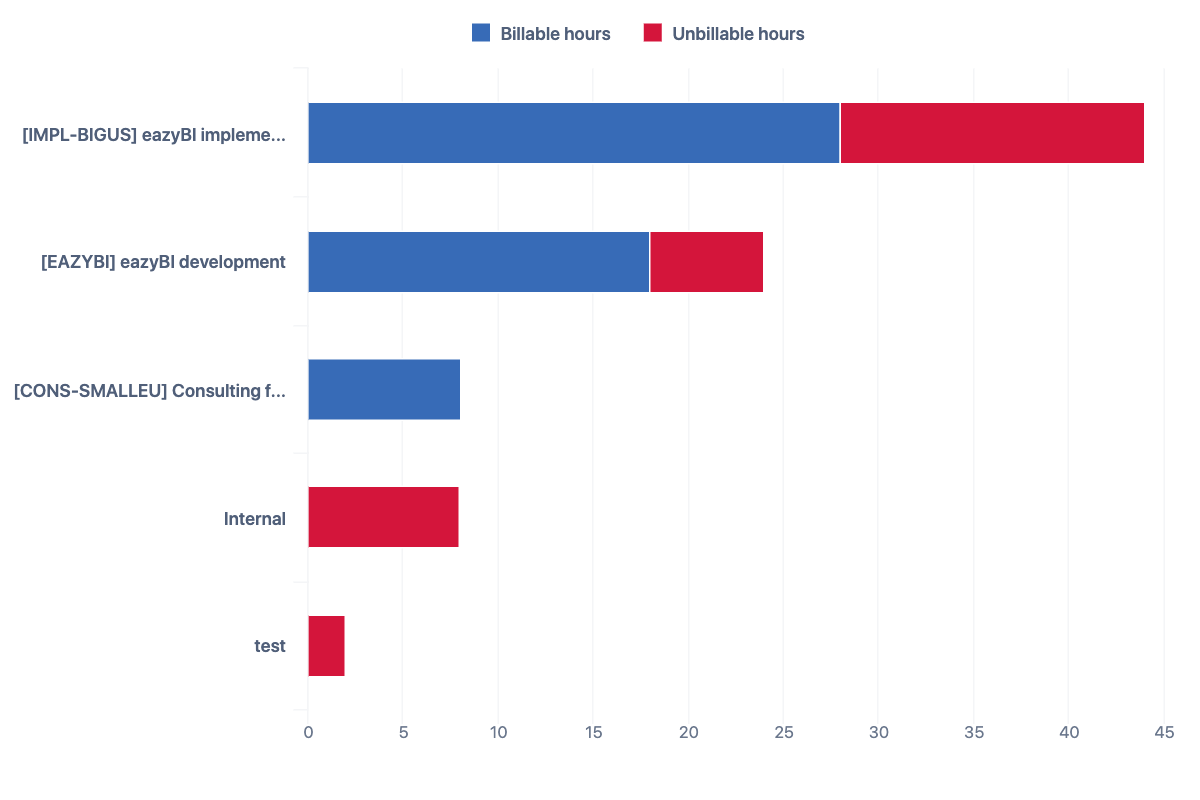
Harvest Reports – Billable vs. Unbillable Hours by Project
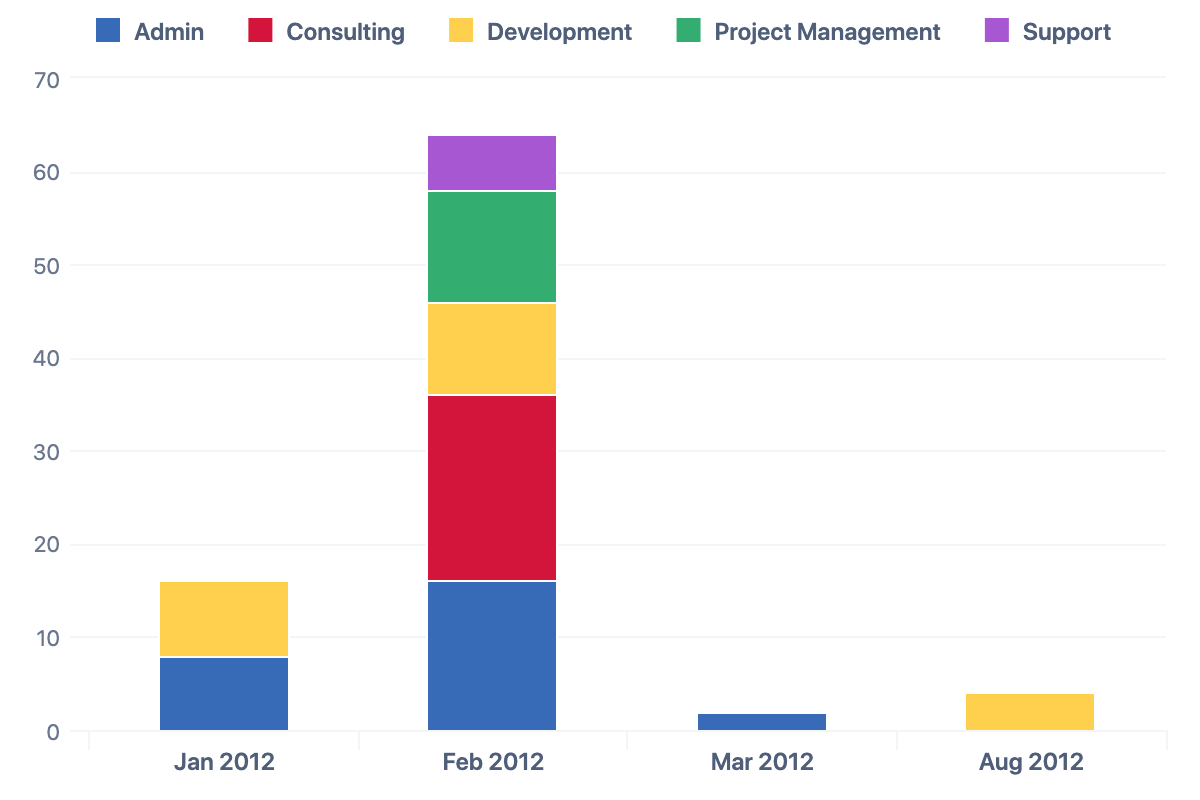
Harvest Reports – Hours by Task and Month
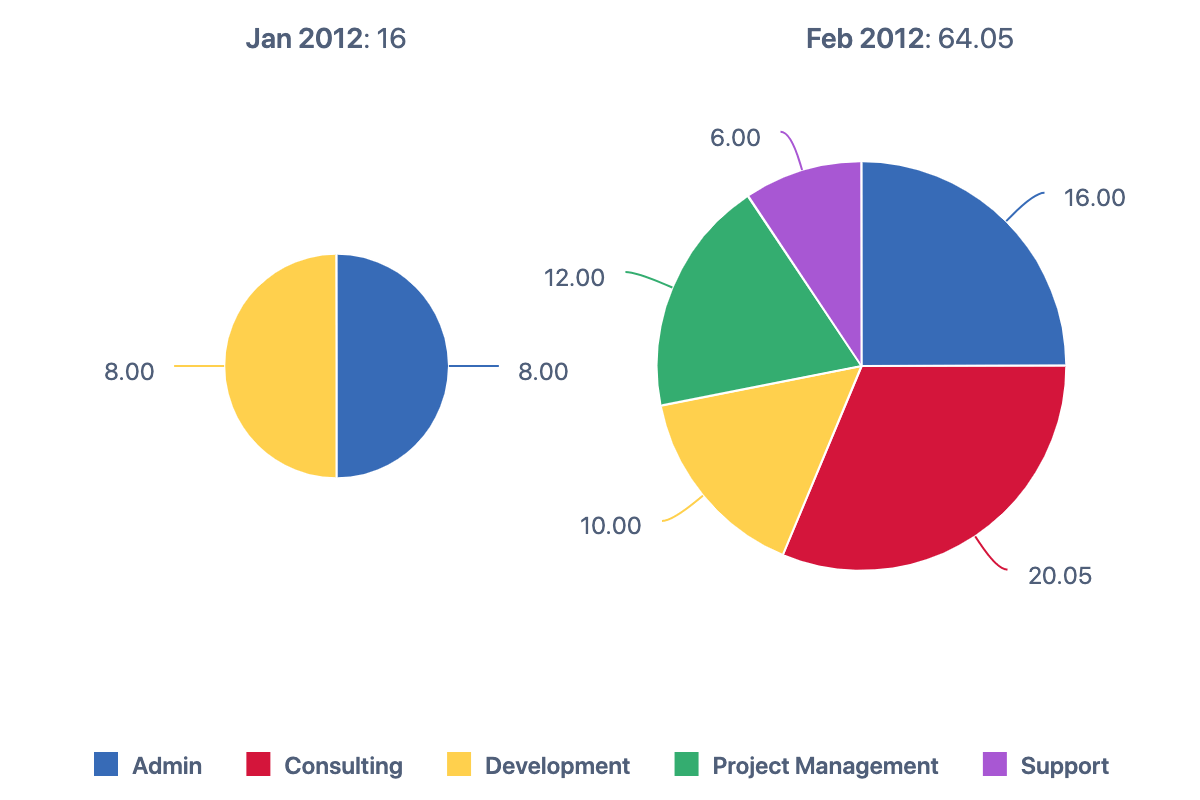
Harvest Reports – Hours by Time and Month
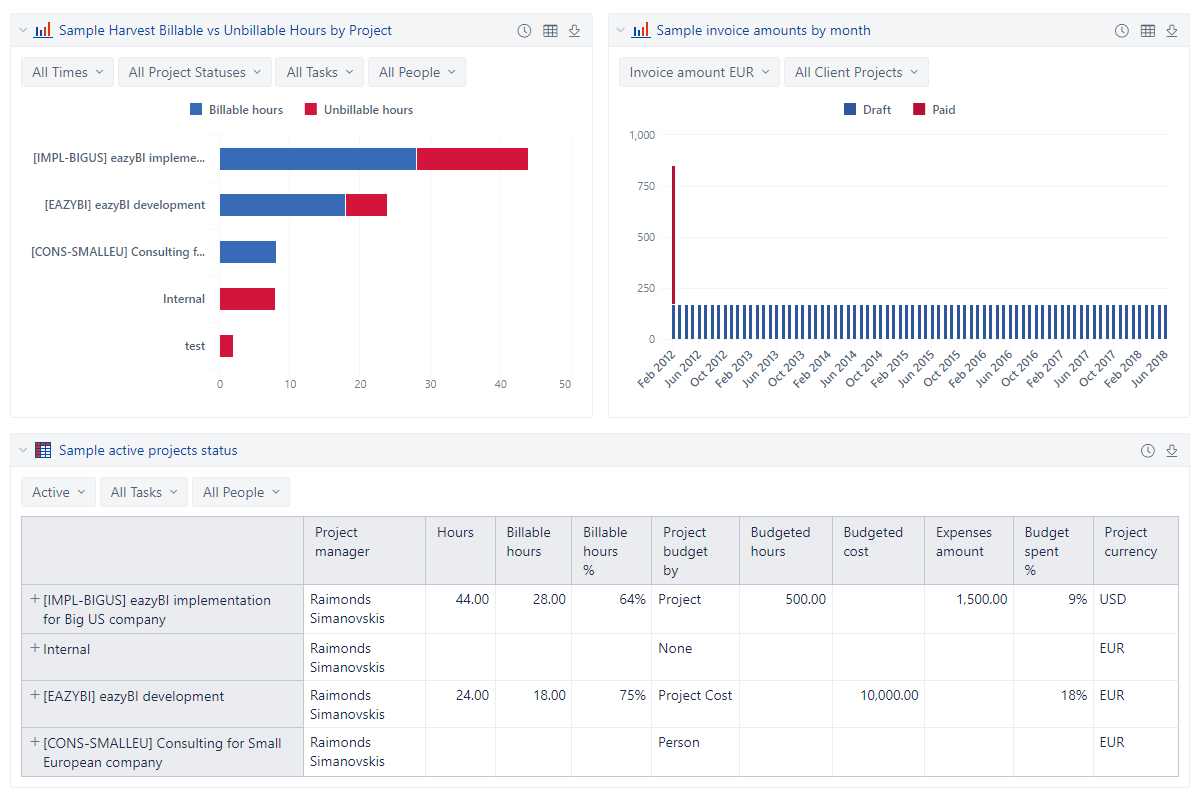
Harvest Timesheet and Invoice Dashboards
“We are an Internet agency and using Harvest for time tracking and invoice generation. But it turned out that the built-in reports from Harvest are not able to provide real management insights. Exporting data to third party apps and generating statistics by hand is time consuming and not flexible enough. With eazyBI we have found the solution that enables us to connect Harvest with a business intelligence tool that everyone can use. Within a very short time we have created management dashboards that provide us important insights on profitability, liquidity and much more. I highly recommend eazyBI for every Harvest user!”
Start a 30-day free trial
Try eazyBI free for 30 days to see if it’s right for you. If you need any help or support, feel free to reach out to support@eazybi.com — we’re there for you.
Try now


Support & resources
eazyBI’s powerful report builder comes with an extensive knowledge base, a vibrant community, and experienced support.
 Support
Top-rated support ready to guide you through your reporting journey.
Support
Top-rated support ready to guide you through your reporting journey.
 Documentation
Detailed documentation with tutorials, instructions, use cases, and how-to videos.
Documentation
Detailed documentation with tutorials, instructions, use cases, and how-to videos.
 Community
Active and growing user community with shared experiences and practical solutions.
Community
Active and growing user community with shared experiences and practical solutions.
 Learning Center
Hands-on, self-service lessons to build different reports and grasp BI concepts.
Learning Center
Hands-on, self-service lessons to build different reports and grasp BI concepts.